Danger_BK's Forum
Bine ati venit pe forumul lui: Danger_BK !
|
Lista Forumurilor Pe Tematici
|
Danger_BK's Forum | Inregistrare | Login
POZE DANGER_BK'S FORUM
Nu sunteti logat.
|
Nou pe simpatie:
LaraTaner pe Simpatie
 | Femeie
24 ani
Prahova
cauta Barbat
24 - 52 ani |
|
SonicX
Administrator
 Inregistrat: acum 20 ani
Postari: 54
|
|
------====== Guide How to set a Server======------
The first thing that you will need to make a server is called Microsoft SQL Server, it is the program that will allow you to make the databases and store them. Other useful things can be done using this program almost all of them.
You can download Microsoft SQL Server known as MSSQL here
* Installing SQL Server 2000: Extract SQLEVAL.exe.
* Run Setup.exe and click Next 8 times.
* It will show you this window named Services Accounts.
* In Service Settings set it to Use the Local System Account.
* Click Next and it will show the Authentication Mode window.
* Set it to Mixed Mode(Windows Authentication and SQL server Authentication) after that make sure to set a password below.
* The password will be the sa account password, you will need it after on if you want to set an online registration.
* Then click next to continue the Installation
The second thing and most important is the MuServer files you can download here .
The next step will be to extract the MuServer folder from the RAR and copy the folder in it to the D: drive make sure it dont have double folders like D:/MuServer/MuServer , it should only have D:/MuServer/ .
Editing server IPs
Following that the next step would be to edit IP files, this will be the files you will need to edit:
D:MuServerCSConnectserverlist.dat
D:MuServerCSdataConnectserverlist.dat
D:MuServerCSdataServerInfo.dat
D:MuServerCSdataServerList.dat
Open this files using Notepad or Wordpad, and edit where it says "127.0.0.1" to your global IP that can be found here.
Now editing others IP files that are this ones:
D:MuServerdatacommonserver.cfg
D:MuServerdataIpList.dat
D:MuServerdatalangchscommonloc.dat
In this files search for: 127.0.0.1 using CTRL+F. Then change it to your local IP that can be found like this:
Click Start, Run, and type cmd. When u get to cmd you will type this ipconfig. And it will show your local ip.
The other 2 other files that need to edit their IP are:
D:/MuServer/Links/4.ink
D:/MuServer/Links/8.ink
In this files you will need to do the following: Right click on the 4.ink, Properties, and it will show u a 127.0.0.1 ip overwrite it with your local IP.
In the 8.ink you will need to do the same but it will show you 2 ips of 127.0.0.1, overwrite both of them with your local IP.
Restoring Databases
Restoring Databases: Open Enterprise Manager, select Databases, right click and Create new Database, name it MuOnline, create another one too named Ranking.
You can open Enterprice Manager in Start, All Programs, Microsoft SQL Server, and click Enterprise Manager.
This is how the restore of the databases will be:
Restoring: Right click in MuOnline, All Tasks, Restore Database. Restore as Select From Device, select Devices, Add, ... , then select MuOnline db backs in D:MuServerdb baks and click OK 4 times.
Restoring: Right click in Ranking, All Tasks, Restore Database. Restore as Select From Device, select Devices, Add, ... , then select Ranking db backs in D:MuServerdb baks and click OK 4 times.
Adding ODBC links
Adding ODBC links is pretty easy the only thing u will need to do is to download a .REG file and run it.
This .REG file can be downloaded here.
Getting server Online
Go to D:/MuServer/Links/ and start running all links starting by the first one that is 1.ink, let the link to load first, then go and run the second one, then 3,4,5,6,7,8. You will need to have the 8 links opened so the server can be working.
_______________________________________
<br><embed src='http://blingmethere.com/add/rolex.swf' quality=high bgcolor=000000 wmode=transparent width=200 height=225 align=middle ></embed><br>
|
|
| pus acum 20 ani |
|
|
carayman
New Friend
Inregistrat: acum 16 ani
Postari: 2
|
|
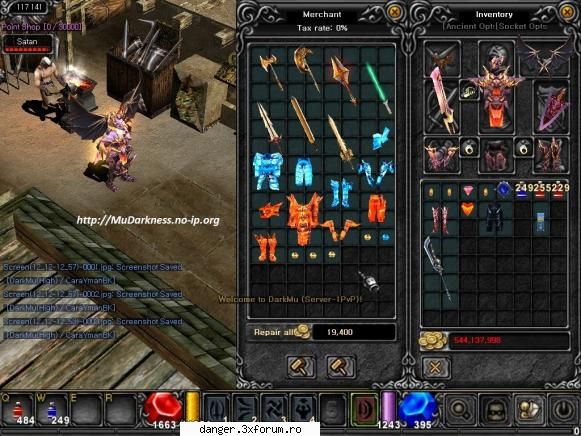
Intrati pe
Bless in Shop
Bless Bug ON
Wings in Shpo
Exp: 7000x
69.5KB
|
|
| pus acum 16 ani |
|